 English
 বাংলা
বাংলা

Taking bKash and Nagad Payments as a Small Online Seller
How small online sellers in Bangladesh can take bKash and Nagad payments, match each one to an order, and avoid the fake-payment tricks.
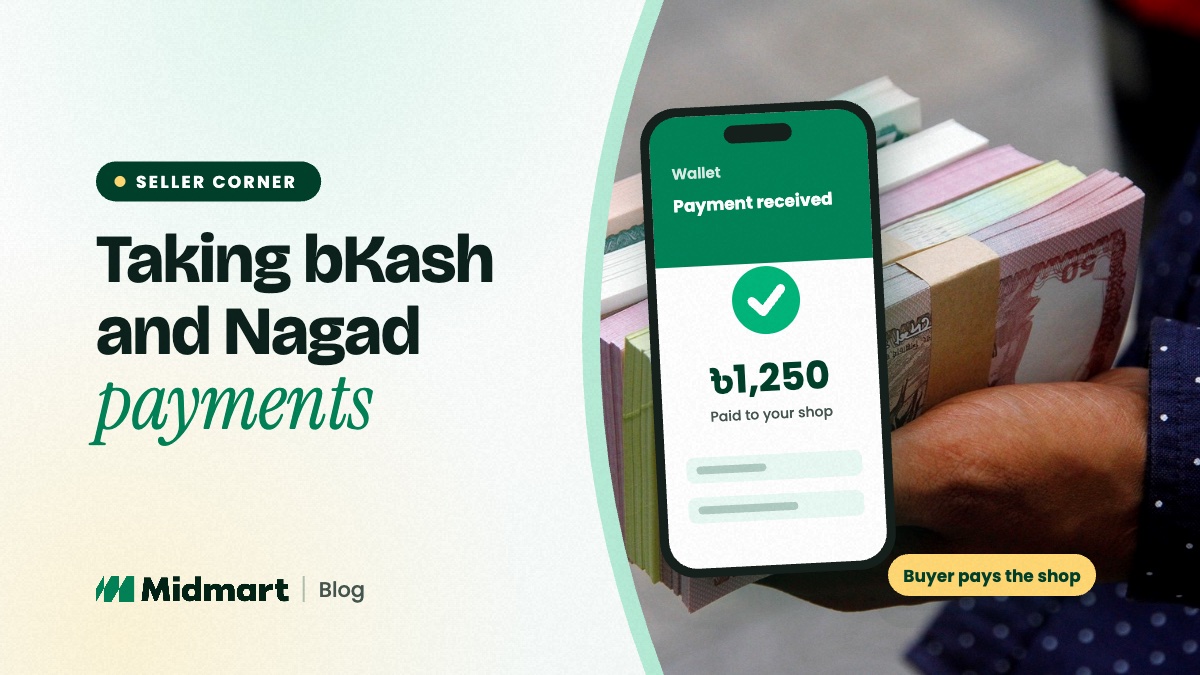
As a small online seller you can take bKash and Nagad payments into your own account: share your number, ask the buyer to send the amount with the order number as the reference, and confirm the payment in your app before you ship. On Midmart the buyer pays you directly — Midmart never holds the money.
Mobile payments are quick and familiar to buyers. They also come with a few habits worth building from your first order.
Personal or merchant account: know which you are using
Both bKash and Nagad offer accounts for individuals and separate accounts for businesses, often called merchant accounts. They differ in what they are meant to be used for, the limits that apply and the charges for receiving money or cashing out. Many small sellers start with a personal number; as orders grow, a business account is often the better fit, and a provider's terms may expect it for regular business payments.
Check each provider's current terms, limits and charges directly with them before you decide. They change from time to time, so this guide does not quote figures that could be out of date.
Setting it up on Midmart
In your seller panel, open payment methods and turn on bKash or Nagad with your own number. You can offer them alongside cash on delivery, a bank account or "decide with the seller". Buyers see exactly the options you turned on, and the money goes from their account to yours. Midmart is not part of that payment: it processes nothing, takes nothing from it and charges you nothing to offer it.
Match every payment to an order
- Ask for the order number as the reference wherever the app offers a reference field. It turns a list of incoming amounts into a list of paid orders.
- Ask for the transaction ID once the buyer has sent the money.
- Confirm in your own app or statement. Look for the amount, the sender's number and the transaction ID. Never ship on a screenshot alone.
- Note it in the order thread — what you received and when. That message is your record, and the buyer's too.
- Then pack and ship.
Spotting fake payments
Most payment fraud against small sellers follows a handful of patterns:
- A fake "payment received" SMS from an ordinary phone number, written to look official.
- An edited screenshot showing a payment that never happened.
- "I sent it by mistake, please send it back" — a call or message pressing you to return money that may never have arrived.
- Anyone asking for your PIN or a one-time code. No genuine buyer, courier or marketplace needs either.
The rule that defeats all of them is the same: a payment is real only when you can see it in your own app or statement. If someone says money was sent by mistake, ask them to contact the provider's official helpline instead of sending anything back yourself.
Advance, part advance or cash on delivery?
Many sellers take the delivery charge in advance by bKash or Nagad and the product price as cash on delivery, which cuts down refused parcels without asking a new buyer to trust them with the full amount. Full advance is common for made-to-order items. Whatever you choose, write it in your delivery policy so buyers know before they order. Buyers are rightly cautious about advance payments to shops they do not know, so a clear policy and a verified badge help them say yes.
Keep simple records
If you can, keep one number just for the business so personal and shop money do not mix. Once a week, check that every paid order matches a payment in your statement. And price your products knowing what your provider charges you to receive and cash out, so those charges do not quietly come out of your margin.
Questions sellers ask
Does Midmart charge a fee on bKash or Nagad payments?
No. Midmart never touches the payment and takes no commission. Any charge for receiving or cashing out is the provider's, so check their current rates.
Can I accept bKash and cash on delivery at the same time?
Yes. Turn on as many payment options as you like, and the buyer chooses one at checkout.
What if a buyer says they paid but I cannot see it?
Ask for the transaction ID and check your statement again. Do not ship until you can see the payment yourself. If it still does not appear, the buyer should contact their provider.
Sellers in every district take payments this way — see selling online in your district. When you are ready, open your free Midmart shop and add your bKash or Nagad number in minutes.